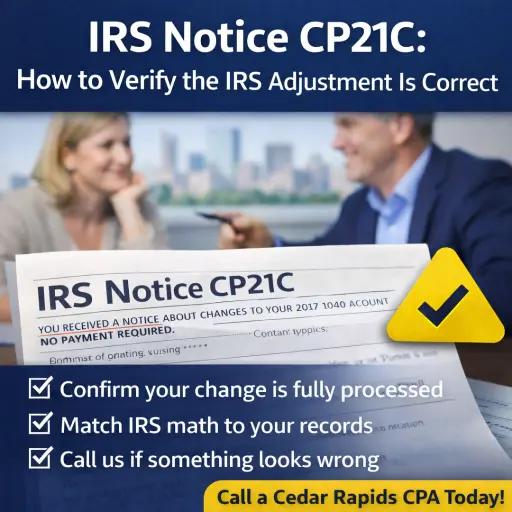
Seeing a letter from the IRS is never fun—even when it’s “good news.” IRS Notice CP21C is typically a confirmation notice: the IRS processed the change you asked for, and for the tax year listed, your balance is now zero (no amount due and no refund).
In other words, CP21C is usually the IRS saying: “We made the update you requested. Your account is settled for that year.” The main job on your end is to double-check the numbers and file the notice away.
IRS Notice CP21C At a Glance
- Letter purpose: Confirms the IRS made the changes you requested and your account balance is now $0
- Common triggers: Approved adjustments such as penalty relief, amended return corrections, or replacing an IRS-prepared assessment with an accurate original filing (varies by taxpayer)
- Recommended action: Verify the update matches what you requested, correct your records, and respond only if something looks wrong
IRS Notice CP21C Explained, Part by Part
Part 1: The account summary (the reconciliation) on IRS Notice CP21C
CP21C starts with a summary showing what your balance was before the change and how the IRS applied the adjustment. The key takeaway is the ending result: the balance for that form and tax year is zero.
What you might see in the math:
- A change that reduces tax
- Related reductions to penalties and interest (often recalculated when the underlying tax changes)
Part 2: “What you need to do” with IRS Notice CP21C
This is the IRS telling you how to respond:
- If you disagree with the changes, contact the IRS using the phone number shown on your notice.
- Update (correct) the copy of the return you keep for your records so your files match what the IRS accepted.
Part 3: Additional information and next-step scenarios for IRS Notice CP21C
Near the end, CP21C typically includes general reference details and what to do if your situation doesn’t fit neatly.
Two common “what ifs” the IRS addresses:
- “I don’t remember requesting this change.” The IRS instructs you to call the number on the notice to confirm what initiated the adjustment.
- “I need to correct something else.” The IRS generally points taxpayers to file Form 1040-X for additional changes.
When the IRS Sends Notice CP21C
The IRS sends CP21C when it has completed a change that you requested for the tax year shown and, after the update, your balance is $0—meaning you don’t owe and you aren’t due a refund.
It’s helpful to know CP21C is part of a family of similar “adjustment” notices:
- CP21A generally means the IRS made changes and now there’s a balance due.
- CP21B generally means the IRS made changes and you should receive a refund (or increased refund).
What You Should Do If You Receive CP21C
Step 1: Match the notice to what you requested
Pull the paperwork that triggered the change—amended return, penalty relief request, IRS correspondence, or your CPA’s submission notes—and confirm CP21C is referencing the correct tax year and form.
Step 2: Check the IRS math against your records
Even with a $0 ending balance, confirm the adjustment makes sense (especially if it involved penalty relief, a large correction, or multiple moving pieces).
Step 3: If you disagree—or you didn’t request the change—contact the IRS
CP21C tells you to call the phone number on the notice if you disagree with the changes or don’t remember making the request.
If you suspect identity theft or unauthorized activity, treat that as urgent and document everything you send and receive.
Step 4: Update your files and keep the notice
Once you’re satisfied it’s accurate:
- Correct your copy of the return for your records (so your files match the IRS).
- Save CP21C with that year’s tax documents in case the IRS questions the account later.
Why Work With a CPA Firm, Not Just a Tax Relief Company
CP21C often looks simple, but it can be the final step after something complex—like correcting an IRS assessment, cleaning up penalties, or getting an amended return processed correctly.
A CPA firm helps by:
- Confirming the IRS applied the adjustment to the right year and right form
- Reconciling the IRS numbers to your actual filings and transcripts
- Handling follow-up if the IRS processed something differently than requested
Corridor Consulting CPAs is a licensed CPA firm—so the same team that helps you resolve the notice can also help you stay compliant going forward.
How Corridor Consulting CPAs Can Help With CP21C
For taxpayers in Cedar Rapids, Eastern Iowa, and nationwide, we can help you:
- Verify the CP21C adjustment matches what was submitted
- Confirm your account is truly settled for that year (and that nothing is misapplied)
- Resolve follow-up issues if you didn’t request the change or the IRS processing doesn’t match your records
- Build a clean compliance plan so you’re not revisiting the same issue next filing season
Take the First Step Toward IRS Tax Relief
If you received IRS Notice CP21C, you’re usually close to the finish line—but it’s still worth validating the details so you can move on with confidence.
If you want a calm second set of eyes from a Cedar Rapids CPA team, Corridor Consulting CPAs can review the notice, confirm the numbers, and handle any follow-up needed.
